Know what you own
Tagaris is a self-hosted IT asset register for small businesses, MSPs and homelabbers. What you have, where it is, who has it, and whether it is still under warranty. It replaces the spreadsheet that was last accurate in March.
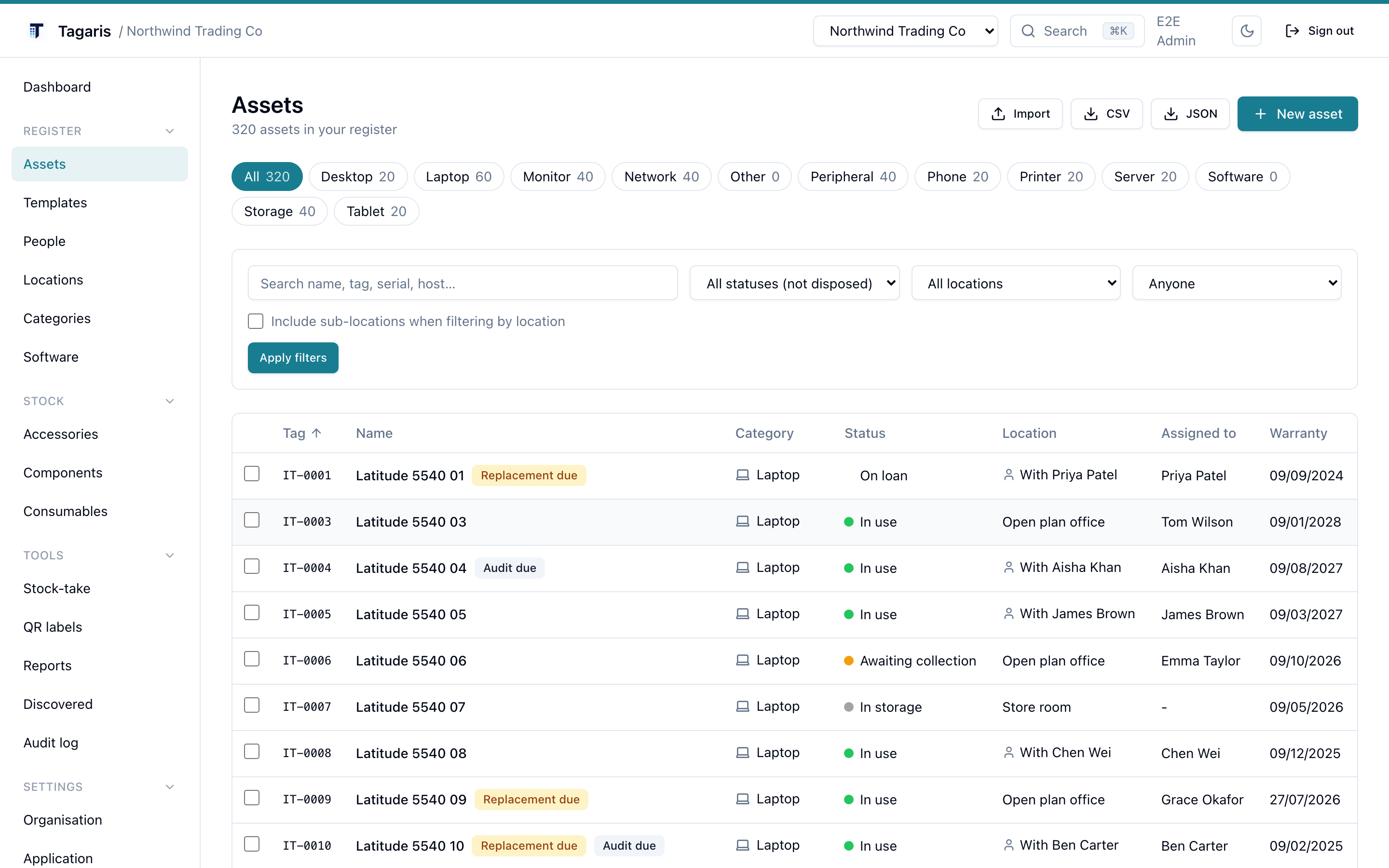
The register, shown with demo data. What you see is the current release.
The register
Hardware, software licences, warranties and assignments in one place. Every asset keeps a dated history of changes.
Locations and QR labels
Print label sheets for kit and for rooms. Scan the label on the comms room door and see everything that should be inside.
Import and export
CSV import with column mapping and a dry-run preview. Export everything to CSV or JSON at any time, on any tier.
Renewal reminders
A daily email digest of warranties and software licences coming up for renewal, plus assets past their replacement age.
Serial number smarts
Dell, Lenovo and Apple serial formats recognised, with direct links to the maker's warranty lookup. Type A2338 and the model fills itself in.
REST API
A documented v1 API for integrations, with personal and organisation keys. Automate imports or read the register from your own tools.
How it works
From nothing to a register you can trust, in an afternoon.
Install it
Copy .env.example, set a secret, docker compose up. The
first run creates your organisation and admin account.
Load your assets
Import your existing spreadsheet as CSV with a dry-run preview, or add kit one by one from the built-in templates. A Dell Latitude takes about 30 seconds.
Label and forget
Print QR labels for kit and rooms. From then on the register keeps itself honest: scan to look up, scan to audit, and a daily digest flags renewals due.
That is the whole install. Comfortable on a 1 GB VPS. Migrations apply themselves. Full guide in the documentation.
Everything stays on your server
Two containers behind your own domain. No agents on your machines, no calls out by default.
The free tier is not a demo
The self-hosted tier is free and stays useful. It is not limited by the number of assets or by export, so your data is never held hostage.
What you pay for are team and compliance features, enabled by a licence key that is verified offline on your own server. The gate is only ever on those, never on your assets.
- Multiple users with Admin, Editor and Viewer roles
- Single sign-on through OpenID Connect
- An org-wide audit log with CSV export
- Scheduled reports
Try it before you install it
The live demo runs the current release in your browser. When you are ready, the install is three commands.