What it does
The register covers the normal day of whoever looks after the kit. Every feature is on every plan, the free tier included. A Team licence adds seats for the people who change things.
One dashboard for the whole estate
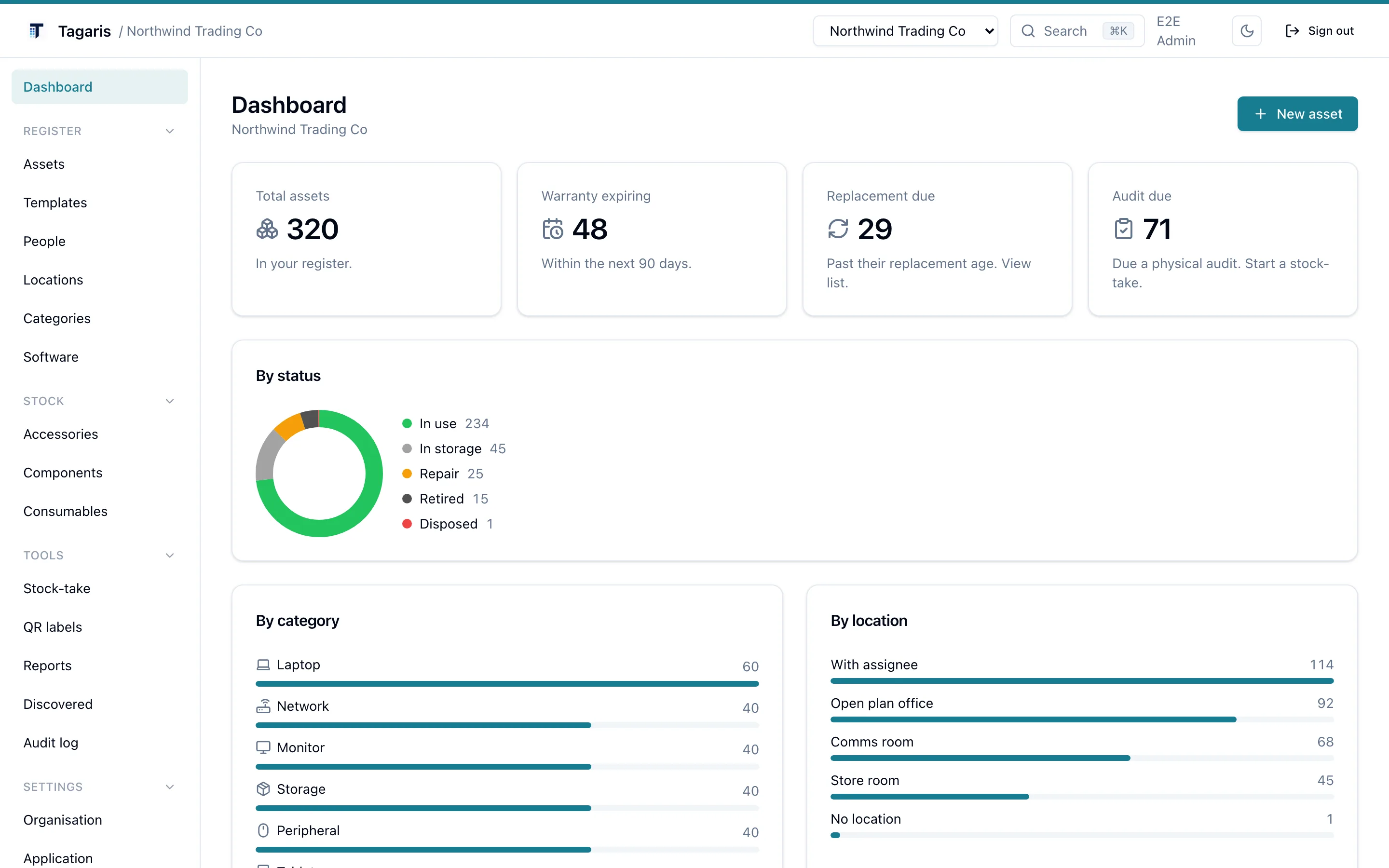
Total assets, warranties expiring in the next 90 days, and anything past its replacement age, on one screen when you sign in.
- Counts by status: in use, in storage, repair, retired, disposed
- Breakdowns by category and by location
- Recently added assets, so changes are easy to spot
Label the room, not just the laptop
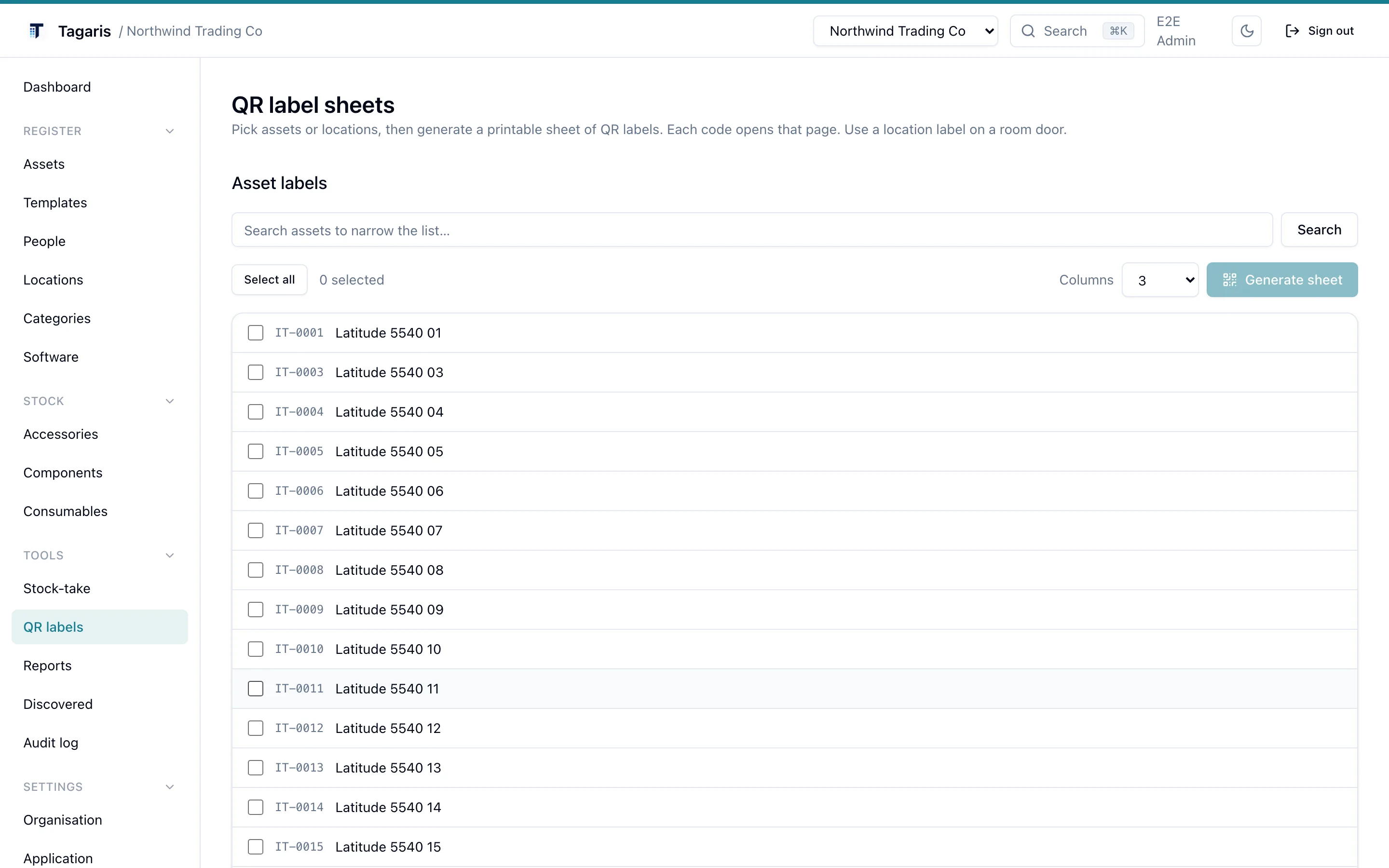
Assets belong to places at least as often as to people, so locations are first class. Pick assets or rooms and generate a printable sheet of QR labels. Each code opens that page.
Stick one on the comms room door. Scan it, see the expected kit, bulk-move the strays. A room audit stops being an afternoon job.
Scan a door, audit a room
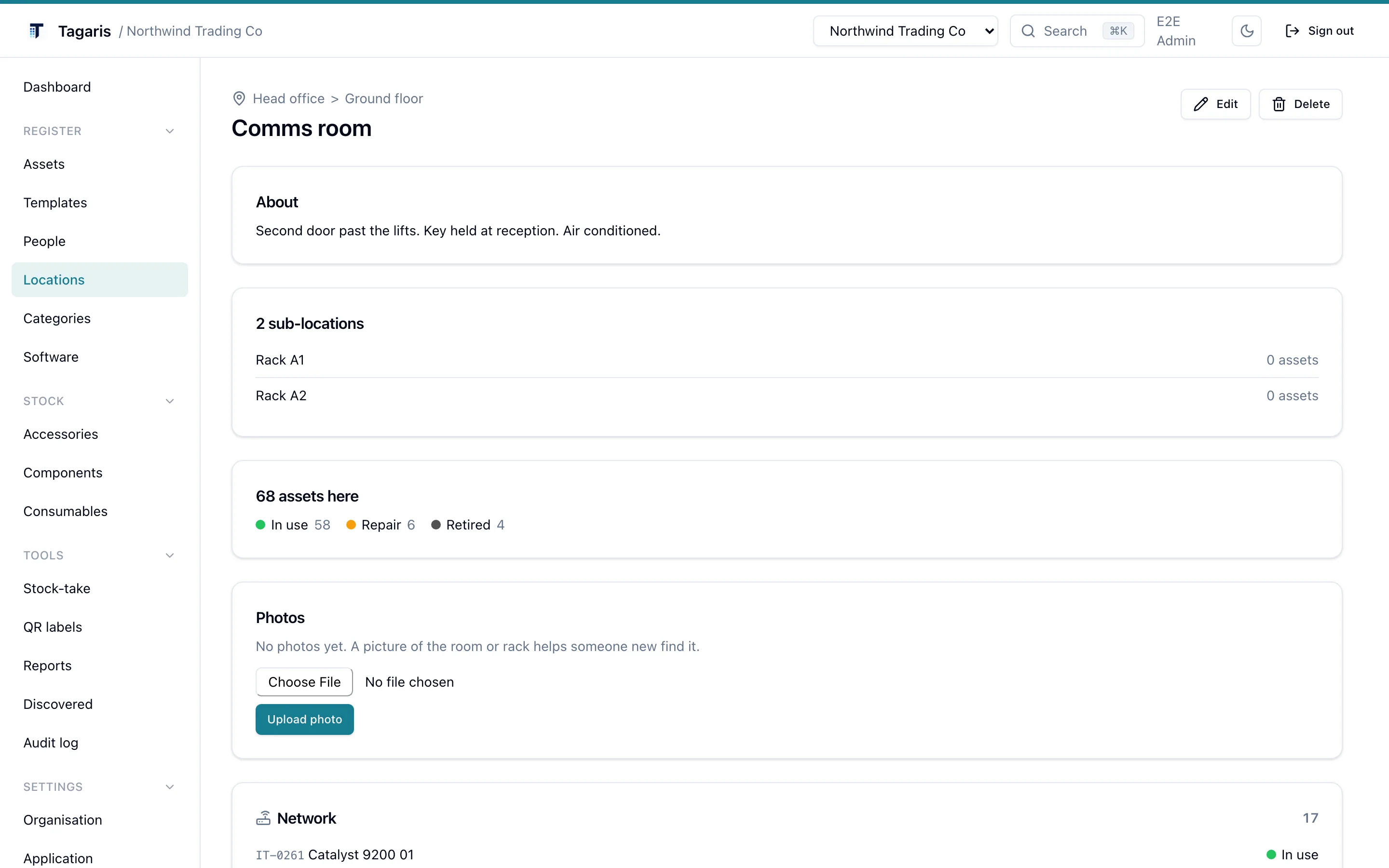
Every location has its own page listing what should be in it, grouped by category, with a status summary at the top. That is what a scanned door label opens.
Anything that has wandered off gets bulk-moved back from the assets list in one action, one history entry per asset.
Serial numbers pull their weight
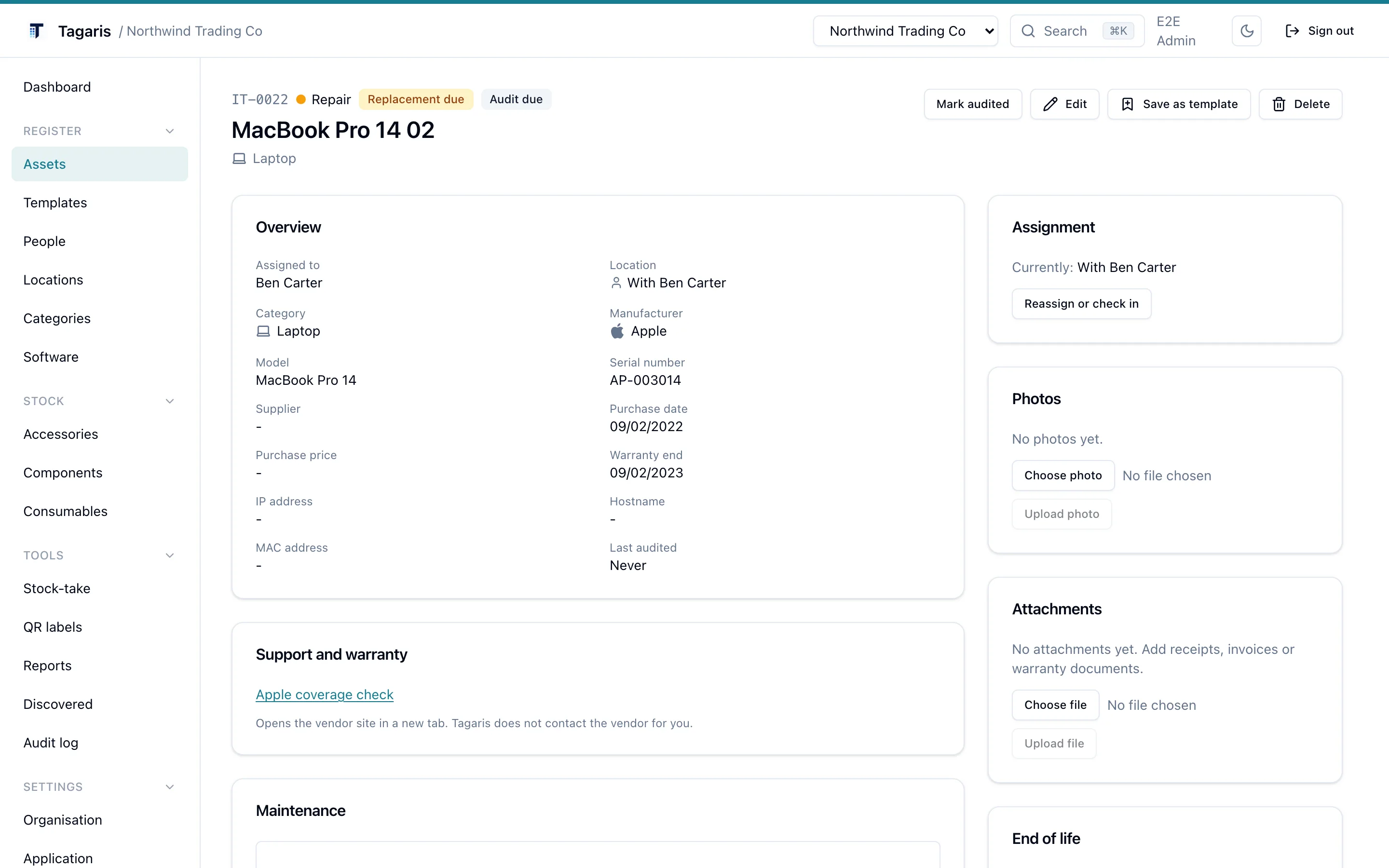
Set the manufacturer and the serial field knows what to expect: a Dell service tag is seven characters, a Lenovo serial is eight. The asset page links straight to that maker's warranty lookup for the serial you entered.
Type a known Apple model number such as A2338 and Tagaris offers to
fill in the name, model and category. All of this is local intelligence. No
third-party calls, no scraping.
- A quiet "replacement due" badge when kit passes its replacement age
- Duplicate serial and MAC warnings on create and on import
- Every change recorded in the asset's history
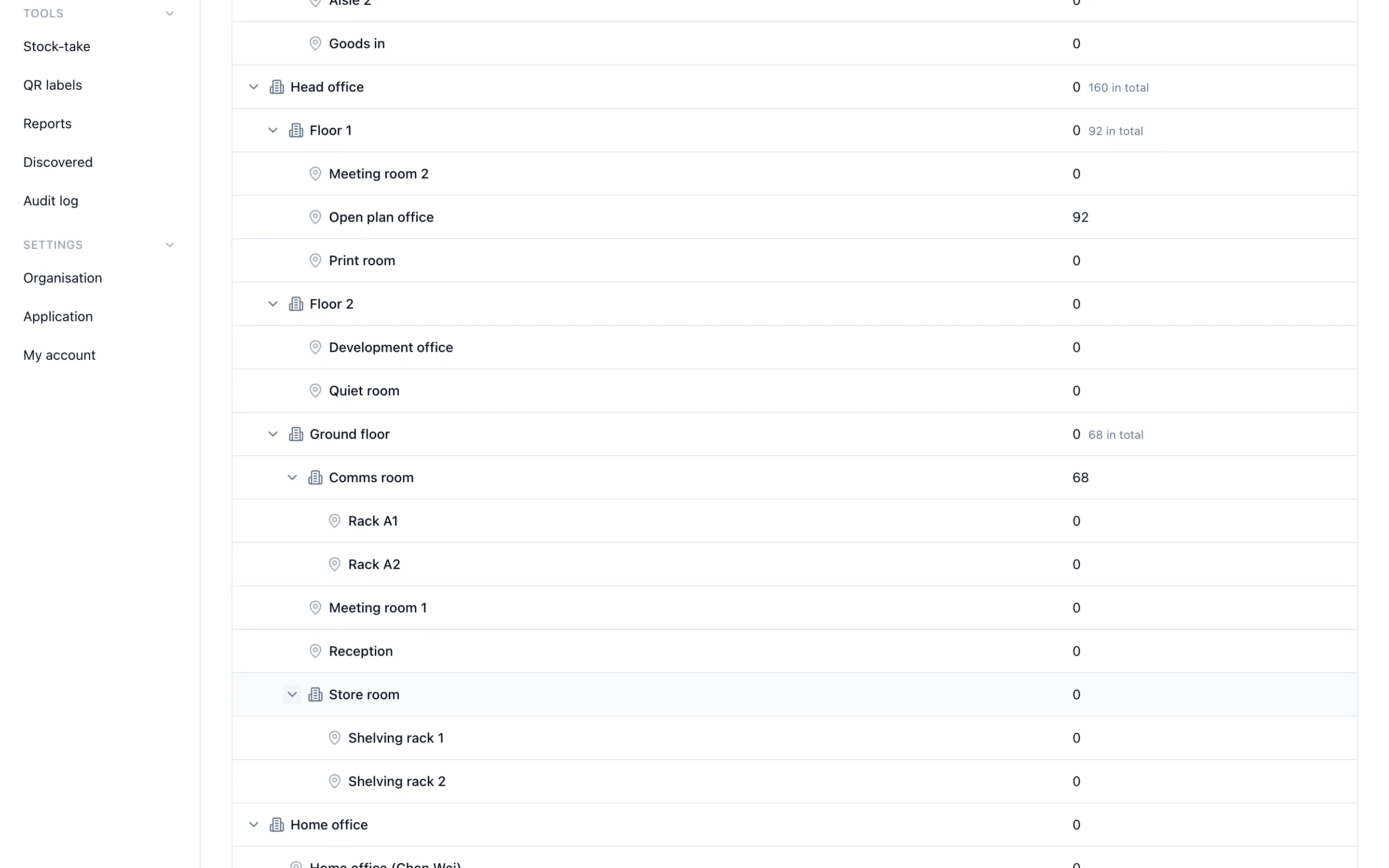
Group locations into buildings and sites
Locations form a tree. Put a building at the top, the rooms under it, and Tagaris rolls the asset counts up the branches, so a site total is one glance, not a sum.
Collapse a site you are not working on, expand the one you are, or flip to a plain A to Z list. Every room is still one click from the assets inside it.
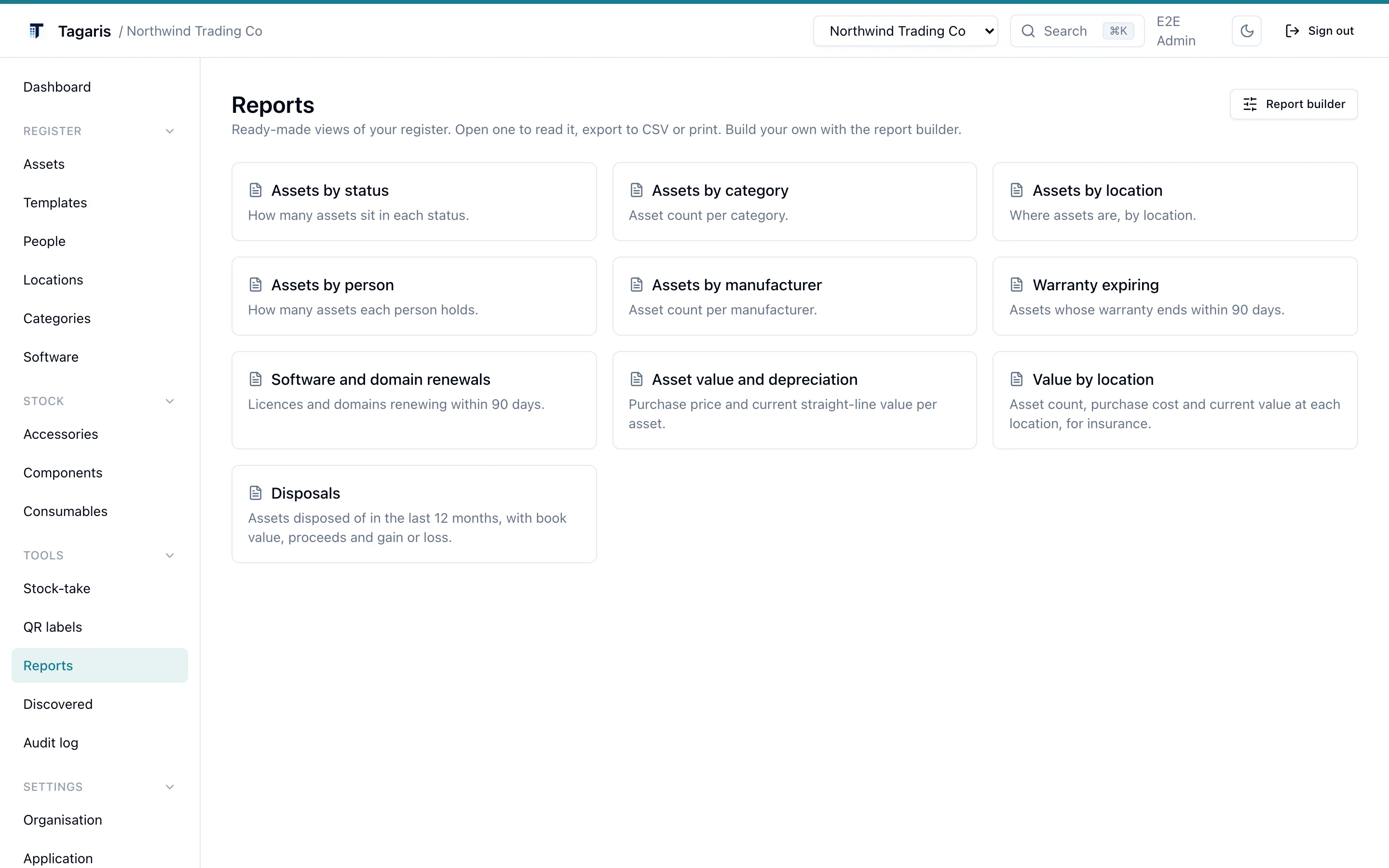
Reports you can read, export or print
Ready-made views of the register: assets by status, category, location, person or manufacturer, warranties and licences due, and value with straight-line depreciation.
Open one to read it, export it to CSV, or print it. Need something specific? The report builder filters the register and picks the columns.
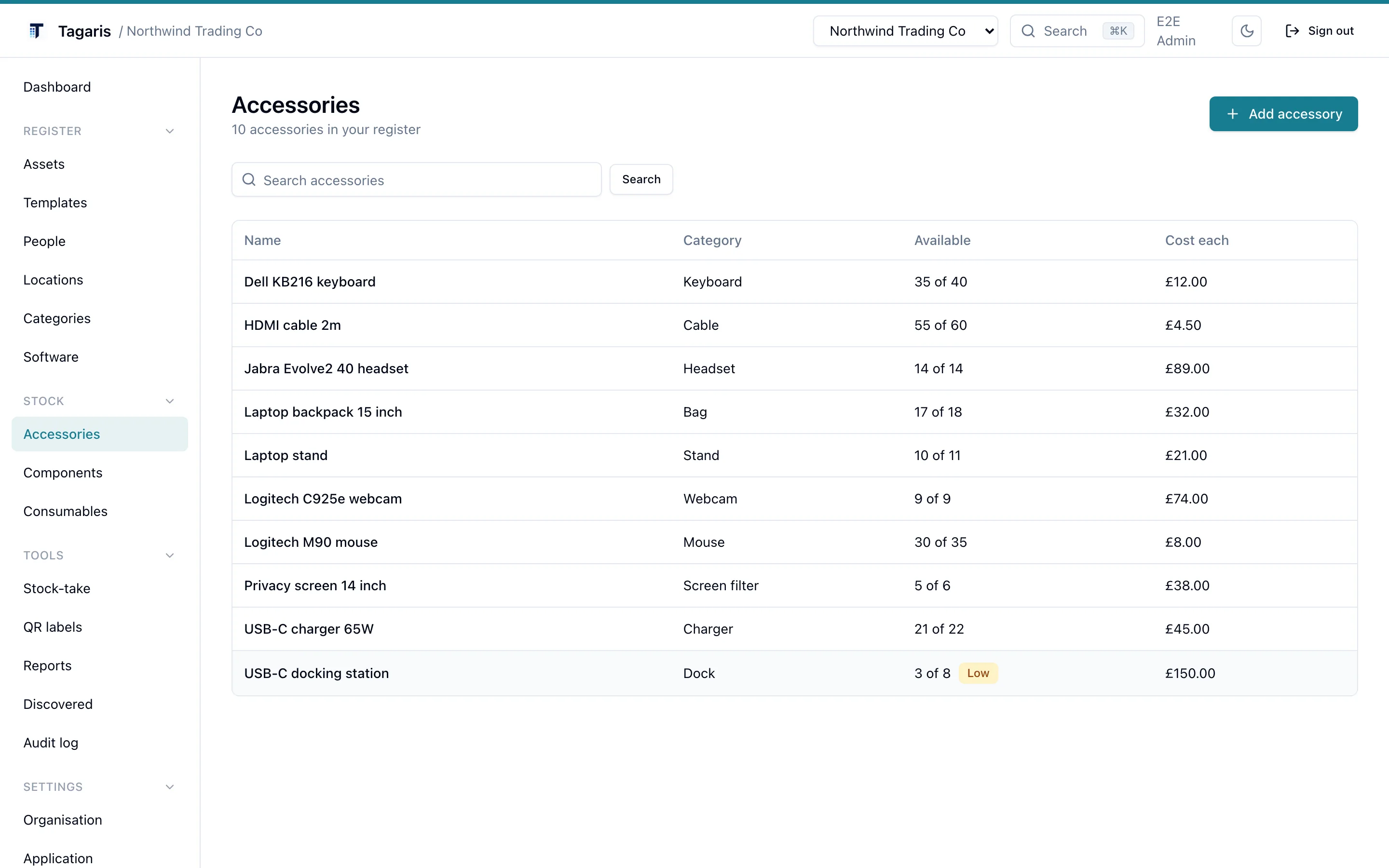
Consumables and accessories, not just fixed assets
Track the stock around the estate too: accessories checked out to people, components installed into machines, and consumables that decrement as they are issued.
Each has a minimum quantity, so the daily digest flags low stock before you run out of docks, cables or toner.
Issues, reported against the kit
A fault, a change request, new equipment or something lost, kept next to the asset it is about. Small on purpose: no SLAs, queues or approvals.
Track it to done
Each issue has a status, a category you define, a priority, an assignee and a thread of notes. The asset page lists its issues, and every step lands in the asset's history. Reporting can set the asset to Repair; resolving offers to put it back and to log the repair, with its cost, in the maintenance records.
New issues arrive once in the daily digest and post to Slack, Teams or a webhook as they come in. With the Jira integration set up, an issue can be raised to Jira and the ticket shows on the issue and the asset.
A form for everyone else
Most people who notice a fault have no Tagaris login and should not need one. The staff form is a page anyone with the link can use: name, what it is about, an optional asset tag, where it is and what is wrong. It shows nothing from the register and says the same thank-you whether or not the tag matched.
Scan a QR label while signed out and the sign-in page offers "Report an issue with this item", so every label already on your kit is a way to report a fault. The form can have a hostname of its own, help.example.com, with the organisation's own name and logo.
More on the issues page and in the issues guide.
Vendors, purchase orders and contracts
Who you buy from, what is on order, and the last day you can give notice, next to the assets they relate to.
Orders that become assets
Record an order, then receive it when it arrives. An asset line creates one asset per item from a grid of serial numbers, with the vendor, unit price and purchase date taken from the order. A stock line tops up an accessory, component or consumable; a software line creates a licence or adds seats. Part deliveries are tracked, and the order moves from Ordered to Part received to Received by itself.
Contracts keyed on the act-by date
Support, maintenance, leases, extended warranties and subscriptions, each with a vendor, a cost, a notice period and documents. Everything is keyed on the act-by date, the end date less the notice period: the status, the order of the list, the daily digest and the calendar feed. A covered asset shows a Cover card with who to call and what to quote.
- Vendors with account number, contact and support details; the supplier field on every record links to them
- Spend by vendor and by category for a period you choose, and open purchase orders, as reports
- Who may place or cancel an order is a permission, so Finance can sign off spending without editing assets
More on the purchasing page and in the purchasing guide.
The full list
Six pages go deeper: QR labels and scanning, software licences and renewals, check-out, check-in and audits, the asset lifecycle, issues and the staff form and purchasing. Integrations have their own page.
The register
- Hardware, software licences, warranties and assignments in one place
- Search, filter and sort. Every asset keeps a dated history
- Assets can belong to a person, a location, both, or neither
- Check-out and check-in, recorded in the asset's dated history
- CSV import with column mapping and a dry-run preview, with Snipe-IT and Halo presets
- Migration from Snipe-IT and GLPI through their APIs, with a preview first
- Export the whole register to CSV or JSON at any time
- Printable QR label sheets for assets and for locations
- Photos, with location metadata stripped on upload, and attachments such as receipts, invoices, warranty certificates and manuals
- Starter categories, manufacturers and templates seeded on first run
- Duplicate serial and MAC warnings on create and on import
- Bulk move: select assets, pick a location, done
- Custom fields and custom status labels per organisation
Stock, money and upkeep
- Accessories, components and consumables, with low-stock alerts
- Straight-line depreciation and an asset value report
- A custom report builder and scheduled email reports
- Maintenance records and a physical audit (stock-take) workflow
- Vendors, purchase orders received into assets and stock, and contracts with notice-period reminders
- Spend by vendor and by category, and open purchase orders, as reports
- A daily email digest of renewals due, contracts to act on, new issues and assets past replacement age
Issues
- Faults, change requests, new kit and lost items against assets, with categories, priority, assignee and notes
- A no-login staff form, reached from a link, a QR label scan or its own hostname
- Optional hand-off to Jira
Security and operations
- Two-factor authentication for password sign-in
- Single sign-on through OpenID Connect: Microsoft Entra ID, Okta, Google Workspace or any provider
- Admin, Editor and View only roles, access groups for particular jobs, and limiting a person to particular sites
- An org-wide audit log of who changed what, with CSV export
- Email by SMTP, Microsoft 365 or Google Workspace
- Scheduled backups with restore, optionally encrypted and copied to S3-compatible storage
API and ticketing
- A documented REST API (v1) with personal and organisation keys
- Jira ticketing: raise and link tickets from asset pages, with the ticket status shown on the asset
Still in testing
- Pull devices from Microsoft Intune or Jamf, and people from Microsoft Entra ID. Free and open, no key needed
On Team plans
- Seats for 5, 10, 25 or 50 people who change things; view-only people are free and unlimited
- Add-on: multiple organisations on one install, each with its own branding
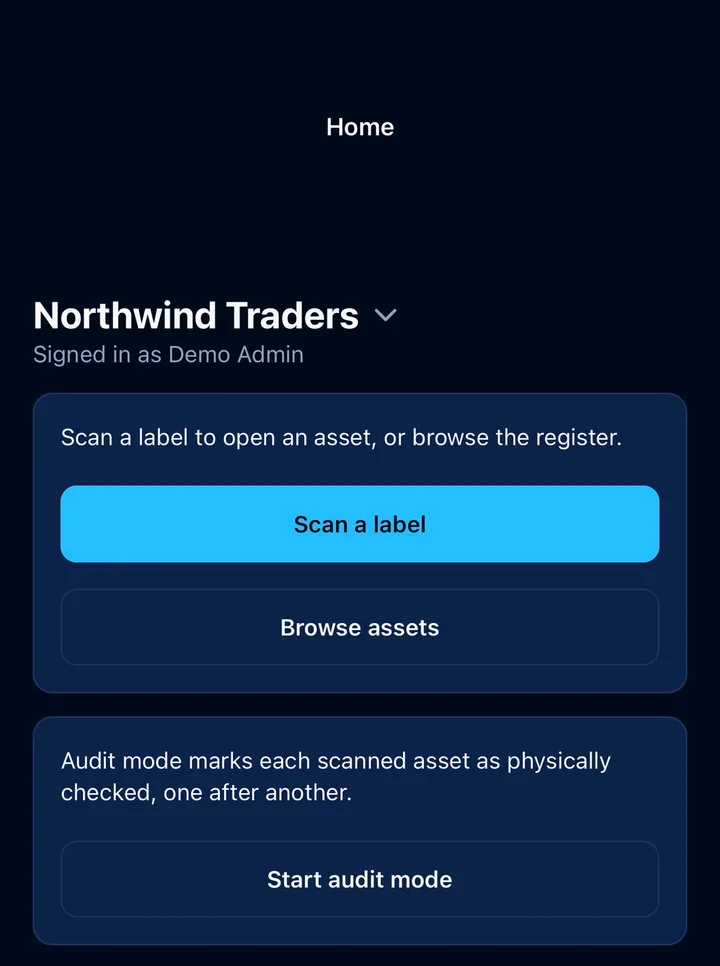
On your phone
Tagaris for iOS and Android pairs with your own server and signs in the same way as the browser, including two-factor and single sign-on. Scan a label to open the asset, change its whereabouts or status, log maintenance, raise a ticket, or create a new asset from an unknown serial. Audit mode walks a room label by label. It works on the free tier.
Audits work with no signal: scans wait on the phone and sync later, with the scan time kept. An issue can be reported straight after a scan, and the buttons follow the person's permissions. These need Tagaris 2.6.0 on the server.
The free tier is not a demo
The self-hosted tier is free and stays useful. It is not limited by the number of assets or by export, so your data is never held hostage.
Every feature is on the free tier, for the owner and as many view-only people as you like. A Team licence adds seats: 5, 10, 25 or 50 people who can change things, as Admins, Editors, or view-only people given a particular job through an access group. The owner, the account the setup wizard made, is never a seat.
- 5, 10, 25 or 50 seats, invited by email
- Admin, Editor and View only roles
- Access groups: twelve permissions, so HR can take kit back from a leaver and nothing else
- A person limited to particular sites sees only what is there
- Directory groups mapped to roles and access groups at sign-in
- An audit log that names who did what
- Personal API keys, capped at each person's permissions
- Add-on: run multiple organisations on one install
No agents, no telemetry
Tagaris is a register, not an agent. It does not scan your network or watch your machines, and it sends no telemetry. The one outbound call a self-hosted instance makes by default is a daily check for a newer version, which sends the version number, a random install identifier and the month the server was set up and can be switched off. Monitoring is the job of its sibling product, Fodaris.
Applying a purchased key contacts our licensing service once to activate the install. After that an annual licence is checked against nothing but its signed certificate, using Ed25519 on your own server, so it works the same on an isolated network as on the internet; air-gapped servers apply a licence file instead. A monthly subscription adds one small daily check to confirm it is still active.
Try it before you install it
The live demo runs the current release in your browser. When you are ready, the install is three commands.