Tagaris for homelabs
The free tier is the full product for one person, with no asset limit, on a box that is already on. Serial numbers, warranty dates and what is in which rack, kept where you can find them.
Free, and the whole thing
The free tier is Tagaris for the owner, plus anyone you want to let look. It is not a trial and it is not a cut-down build: there is no cap on assets, no export limit, no trial clock and no card. Every feature is included. The one limit is that only the owner can change things, which is all a one-person lab needs.
The free tier page lists everything included. If a lab later becomes a shared responsibility, a Team licence adds the logins.
- Assets, stock, software licences and locations, with no limit on any of them
- Dated history on every asset, check-out and check-in
- QR labels for kit and rooms, the physical audit workflow and the mobile app
- Reports with CSV export, including value and depreciation
- A daily digest of renewals, warranty expiries and low stock
- Two-factor authentication and scheduled encrypted backups
What a homelab tracks
The register is shaped for the kit a lab accumulates.
Servers and a NAS
Every asset has CPU, RAM, storage and GPU fields, and "Add recommended spec fields" seeds a starter set for servers, NAS boxes, UPS units and more. Values with several parts read as text, such as "4x 2TB NVMe".
Switches and access points
Custom fields can be scoped to a category, so ports and PoE appear on switches and the Wi-Fi standard on access points, and nowhere else. A field can be required for that category.
Drives and parts
Components are stock installed into assets: fit a drive or a stick of RAM and the remaining count decrements, and the machine's page shows what is in it. Cables and batteries are consumables that count down as issued.
Licences and domains
Software licences and domains sit in the register with their renewal dates. The daily digest lists what is coming up, so a domain does not lapse because nobody looked.
Warranties
Set the manufacturer and the serial field knows what a Dell, Lenovo or Apple serial looks like, and the asset page links to that maker's warranty lookup. A quiet badge appears when kit passes its replacement age.
Where it all is
Locations nest: a house, a room, a rack, a shelf. Each location page lists what should be in it, and the counts roll up the tree.
Labels on the rack and the door
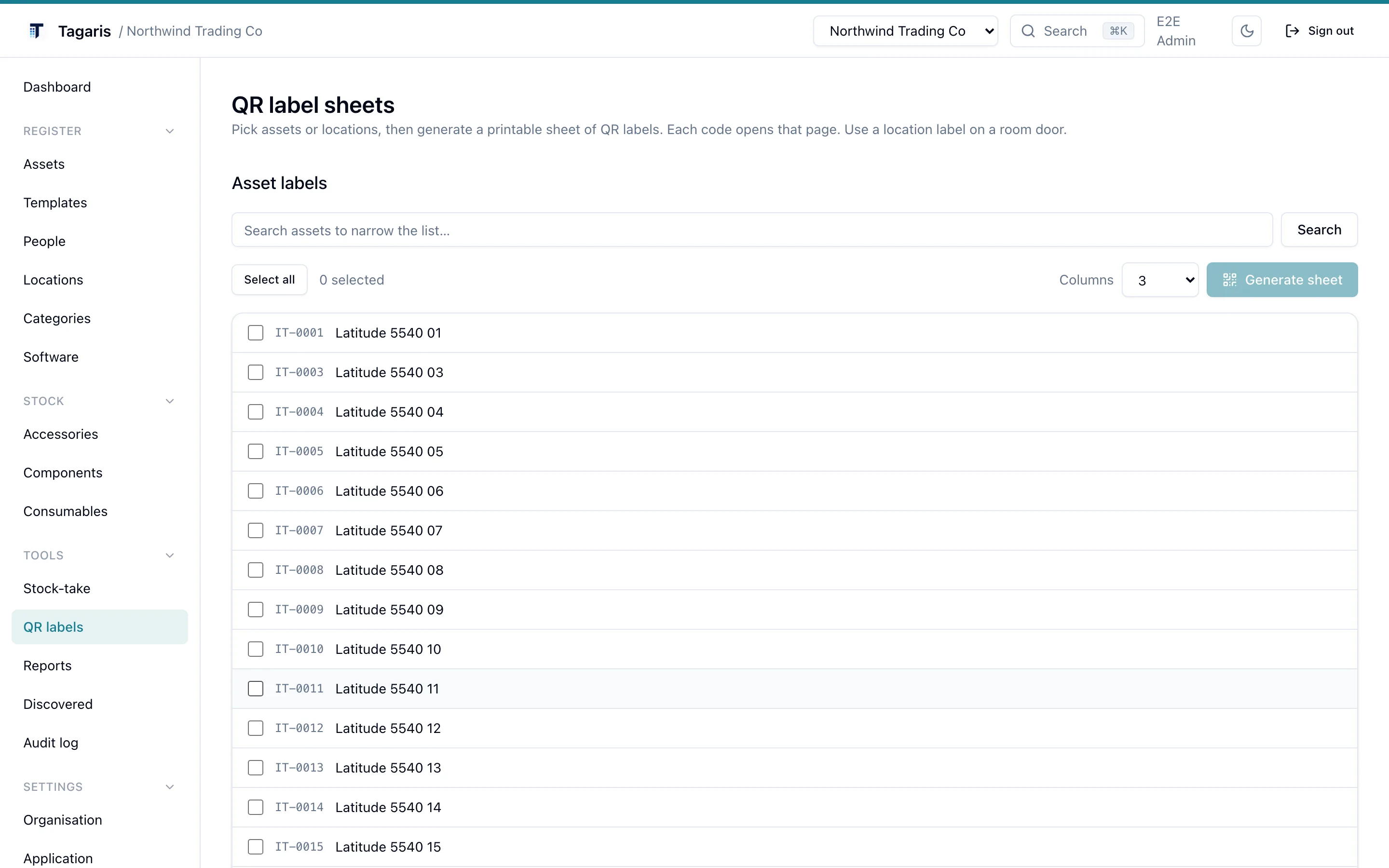
Pick assets or locations and print a sheet of QR labels. Each code opens that page. A label on the rack lists what is meant to be in it; a label on a machine opens its record with the serial, the drives fitted and the warranty date.
Scan them with the app on an iPhone or iPad. It pairs with your own server, opens an asset from its label, changes its whereabouts or status, and walks a room label by label in audit mode. Any phone camera opens the page in the browser. The app is on the App Store and Google Play.
Runs on a small box
Two containers, or one self-contained container, on whatever is already on.
About 1 GB of memory
The app and PostgreSQL together. More assets and photos mainly cost disk, so the memory footprint stays put as the register grows.
amd64 and arm64
Images are built for both, so a NAS or a Pi-class board works, as does a spare mini PC or a VM on the hypervisor.
Your platform
Install notes for Unraid, Proxmox, Synology and TrueNAS and Portainer, and the general self-hosting page for everything else.
Nothing leaves the box
Tagaris sends no telemetry. The one outbound call a self-hosted instance makes by default is a daily check for a newer version, which sends the version number, a random install identifier and the month the server was set up, and can be switched off. The app on your phone talks only to the server address you enter. Export the whole register to CSV or JSON whenever you like, and the built-in backups put a restorable archive wherever you point them, including S3-compatible storage.
See it with a rack in it
The live demo runs the current release with a realistic dataset. No sign-up, and it resets nightly.