QR labels, scanning and audits from the doorway
Print a sheet of labels for assets and for rooms, scan one with a phone, and the right page opens. Audits follow the same path.
Printable label sheets
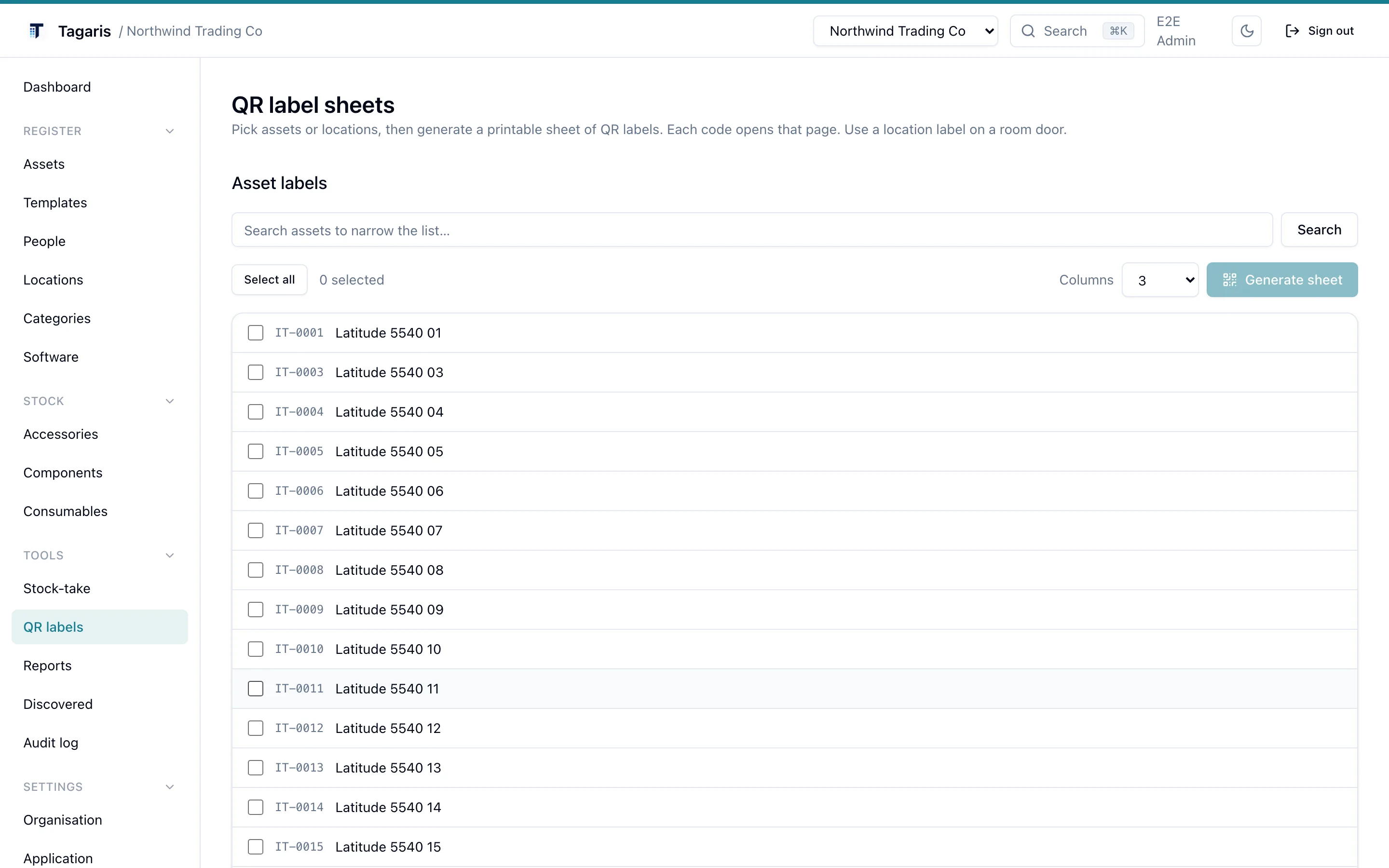
The QR labels page lists your assets and your locations. Tick the ones you want, generate a sheet and print it. Each code holds the address of that record's page on your own server, so a scan opens the asset or the room and nothing else.
- Asset labels carry the asset tag, the human reference such as TAG-0042
- Location labels go on a door, a rack or a shelf
- Search narrows the asset list before you tick
Scan with any camera
No app needed
Point a phone camera at a label and the asset's page opens in the browser, behind
the normal sign-in. For that to work on other devices,
BETTER_AUTH_URL must be set to the public address people actually
reach the app on, not localhost. The
installation guide
covers the setting.
Someone without a login who scans a label is offered the staff form for that item instead ("Not in IT? Report an issue with this item"), so every label already on your kit is a way to report a fault. IT staff who sign in from that page land on the asset they scanned.
The mobile app
The Tagaris app (iPhone, iPad and Android) pairs with your own server and signs in the way the browser does, including two-factor and single sign-on. Scan a label to open the asset, then change its whereabouts or status, log maintenance or raise a ticket from the same screen. Scan a serial or tag that is not in the register and the app offers to create the asset; a blank tag takes the next free one.
The app works on the free tier on iOS and Android. The latest update adds audits with no signal (scans wait on the phone and sync later) and reporting an issue after a scan.
Scan the door, see the room
Every location has its own page listing what should be in it, grouped by category, with a status summary at the top. That is what a scanned door label opens. Anything that has wandered off can be bulk-moved back from the assets list in one action, with a history entry on each asset.
Locations nest, so a building's page counts everything in its rooms. The features page shows the location tree, and the first steps guide walks through adding a location, an asset and a label.
Physical audits
Stock-take in the browser
Give a category an audit interval in months and the Stock-take page lists what is due: assets never audited, or audited longer ago than the interval. Scan a label to open the asset, or search by tag, name or serial, then tap Audited. The date is written to the asset's history and the asset drops off the list until the interval passes again. The asset list can filter on the last audited date, and disposed assets never appear.
Audit mode in the app
On the phone, Audit mode records an audit for every label you scan, and tells you when a label belongs to a different server or is not found. Walk the room, scan each label, and the register knows what was actually there and when. Check-out, check-in and audits covers the rest of the workflow.
Which plan do I need?
Labels, browser scanning, the mobile app, the staff form and the stock-take workflow are all in the free tier. A Team licence adds seats for more people who record audits and move kit, so the audit can be shared out; an access group can give someone just the "Record physical audits" permission. See pricing.
Questions
Do I need the mobile app to scan a label?
No. Any phone camera opens the asset's page in the browser. The app adds one-tap changes to whereabouts and status, audit mode, and creating an asset from an unknown serial or tag.
Why does a scanned code open localhost?
The address in each code comes from BETTER_AUTH_URL. Set it to the address people actually reach the app on, then print the sheet again. Codes printed before the change keep the old address.
What happens when a label is not in the register?
In the mobile app, scan the serial or tag and choose Create asset; a blank tag takes the next free one. In audit mode the app tells you when a label is not found or belongs to a different server.
What does someone without a login see when they scan a label?
The sign-in page, with an offer to report an issue with that item through the staff form if it is switched on. The form shows nothing from the register. See issues and the staff form.
Try it before you install it
The live demo runs the current release in your browser. No sign-up.