Every asset. Accounted for.
Tagaris is an IT asset register that runs on your own server: hardware, software, people and the whole lifecycle in one place, filled in from Microsoft Intune and Jamf. The spreadsheet was last accurate in March; this is what replaces it.
No sign-up for the demo. Self-hosted with Docker. Free tier with no asset limit.
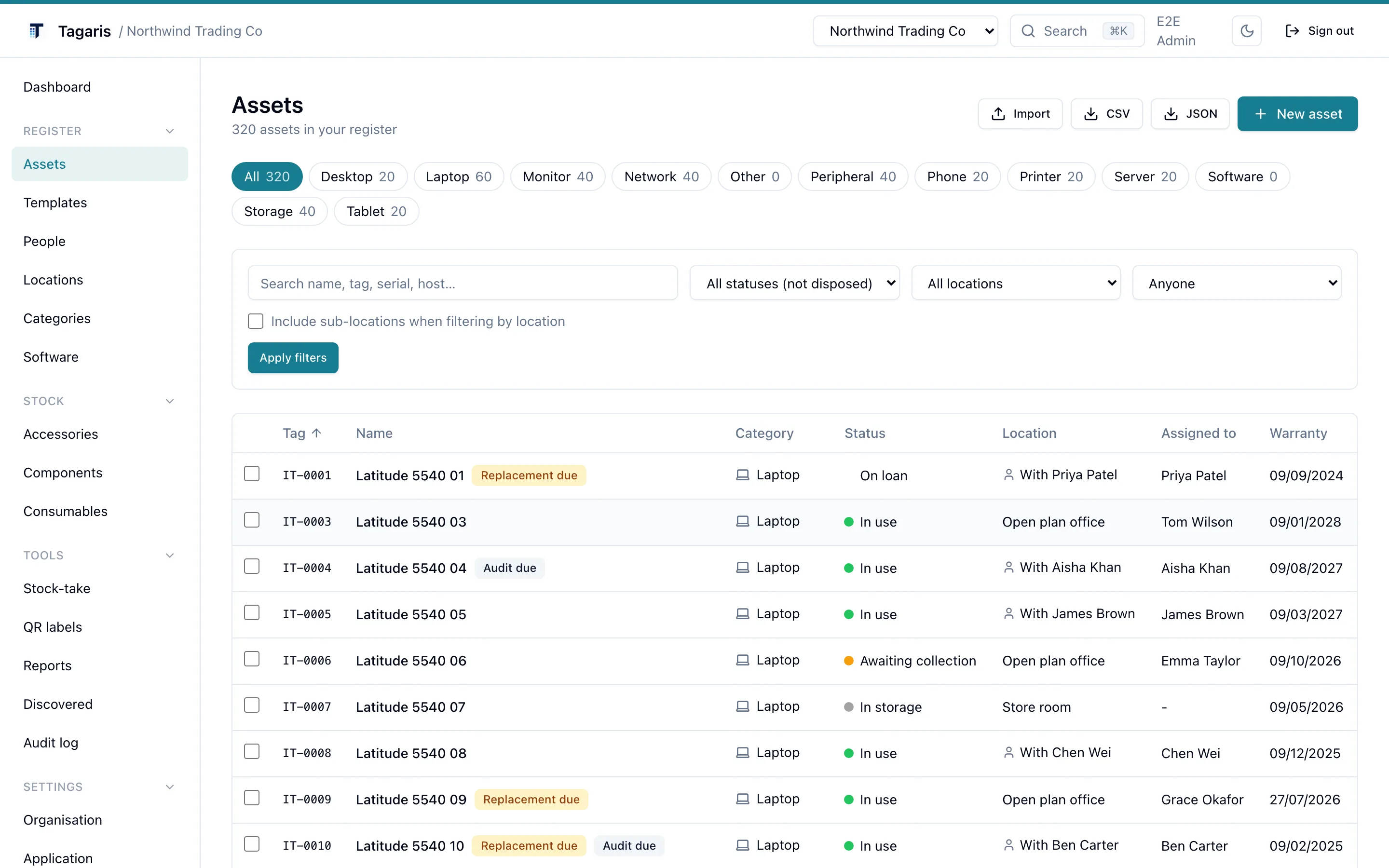
An asset register should be more than a spreadsheet
In most IT teams, devices are discovered in one system, assigned in another and recorded by hand somewhere else, and the spreadsheet is only right on the day someone updates it. Tagaris gives hardware, software, ownership and lifecycle history one structured home, on your own server. Devices flow in from Microsoft Intune and Jamf, renewals are chased by a daily email, and a printed QR label turns a room into something you can audit from its doorway.
More detail: How internal IT teams use it. How MSPs run one install for many clients. How the data is protected.
The register
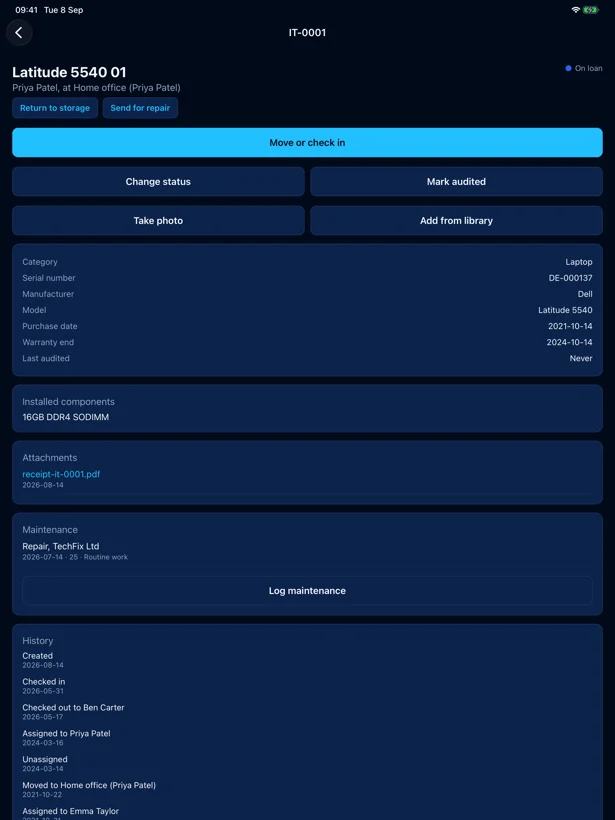
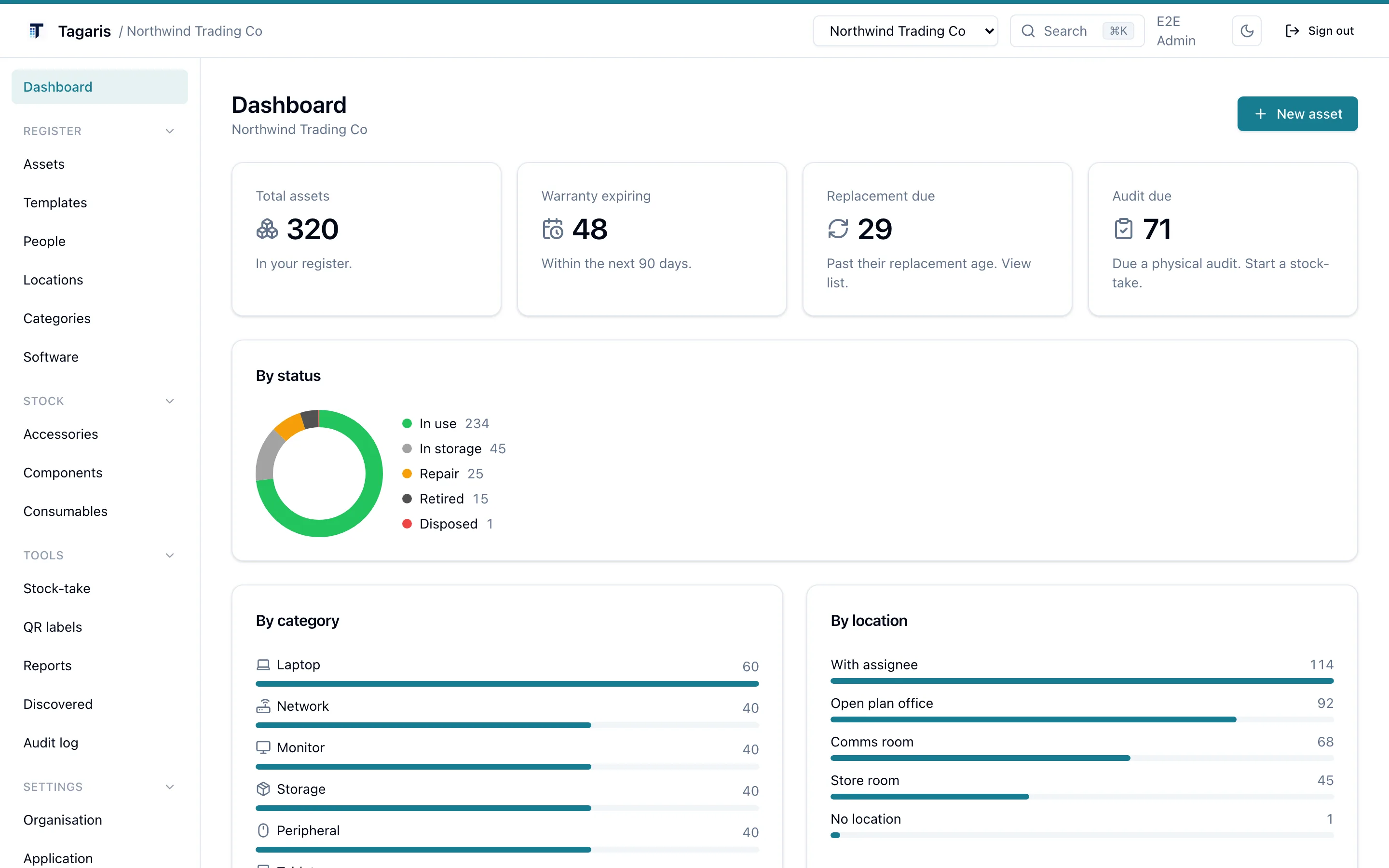
Hardware, software licences, warranties and assignments in one place. Every asset keeps a dated history of changes.
Locations and QR labels
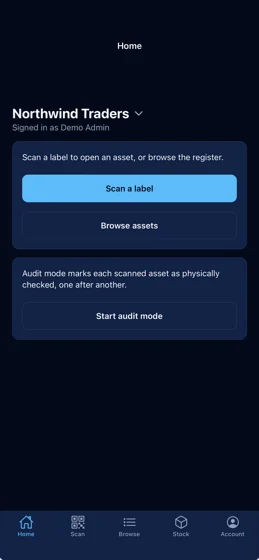
Print label sheets for kit and for rooms. Scan the label on the comms room door and see everything that should be inside, in the browser or with the mobile app.
Import, migrate and export
CSV import with column mapping and a dry-run preview, or read a Snipe-IT or GLPI straight through its API. Export everything to CSV or JSON at any time, on any tier.
Renewal reminders
A daily email digest of warranties, software licences and contracts coming up for renewal, plus assets past their replacement age and new issues.
Issues and a staff form
Faults, change requests, new kit and lost items, tracked against the asset. Staff report without a login, from a link or by scanning the label. Issues.
Purchase orders and contracts
Orders become assets and stock when received. Contracts are keyed on the last day to give notice. Purchasing.
Serial number smarts
Dell, Lenovo and Apple serial formats recognised, with direct links to the maker's warranty lookup. Type A2338 and the model fills itself in.
REST API
A documented v1 API with personal and organisation keys. Automate imports or read the register from your own tools.
How it works
From nothing to a register you can trust, in an afternoon.
Install it
Save the compose file and .env from the install guide, set a secret,
docker compose up. The first run creates your organisation and admin
account. Comfortable on a 1 GB VPS, and migrations apply themselves.
Bring your register across
Pull your existing register straight out of Snipe-IT or GLPI through its API, import the old spreadsheet as CSV with a dry-run preview, or add kit one by one from the built-in templates. A Dell Latitude takes about 30 seconds.
Label and forget
Print QR labels for kit and rooms. From then on the register keeps itself honest: scan to look up, scan to audit, and a daily digest flags renewals due.
That is the whole install. Full guide in the documentation.
The register once your kit is in.
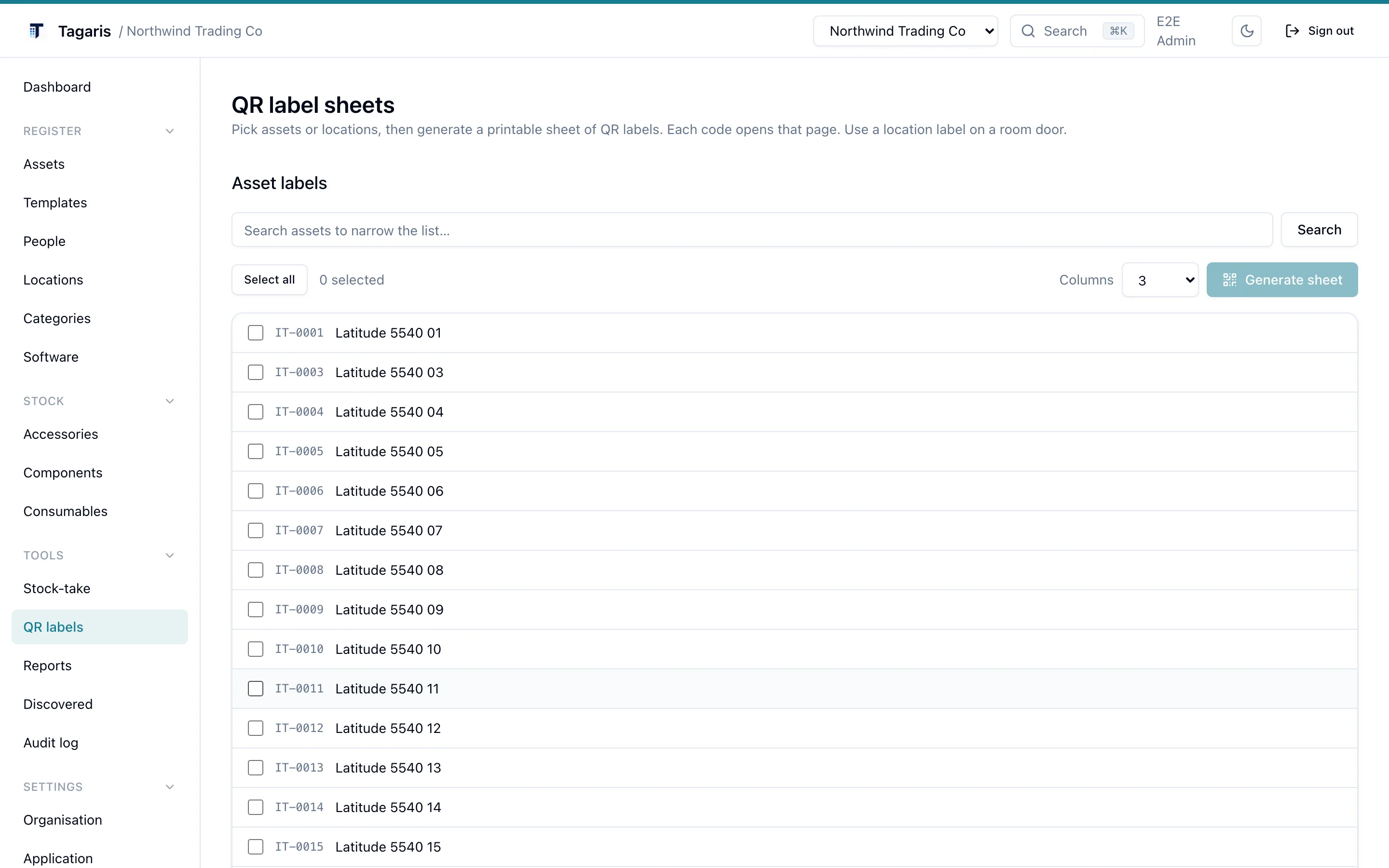
Label sheets, ready for the printer.
Everything stays on your server
Two containers behind your own domain. No agents on your machines, and the only default outbound call is a daily version check you can switch off.
The free tier is not a demo
The self-hosted tier is free and stays useful. It is not limited by the number of assets or by export, so your data is never held hostage.
Every feature is on the free tier, for the owner and as many view-only people as you like. A Team licence adds seats for the people who change things: 5, 10, 25 or 50. The licence key is verified offline on your own server.
- 5, 10, 25 or 50 seats, invited by email
- Admin, Editor and View only roles, and access groups for particular jobs
- Single sign-on with Entra ID, Okta, Google Workspace or any OpenID Connect provider
- An audit log that names who did what
Try it before you install it
The live demo runs the current release in your browser. When you are ready, the install is three commands.